 EPT
Most of what I watch is Brood War on SOOP, plus some Twitch and YouTube. I got tired of heavy websites full of ads (Twitch come on...), recommendations and flashing stuff, so I built my own player. It works well enough now that I think some of you could use it too.
vts (Video Terminal Shell) is a keyboard-driven app that runs in a terminal window, on Windows 10/11 and Linux. It puts SOOP, Twitch and YouTube in one place, and videos play in mpv (a light video player) instead of a browser tab. Free, open source, no account.
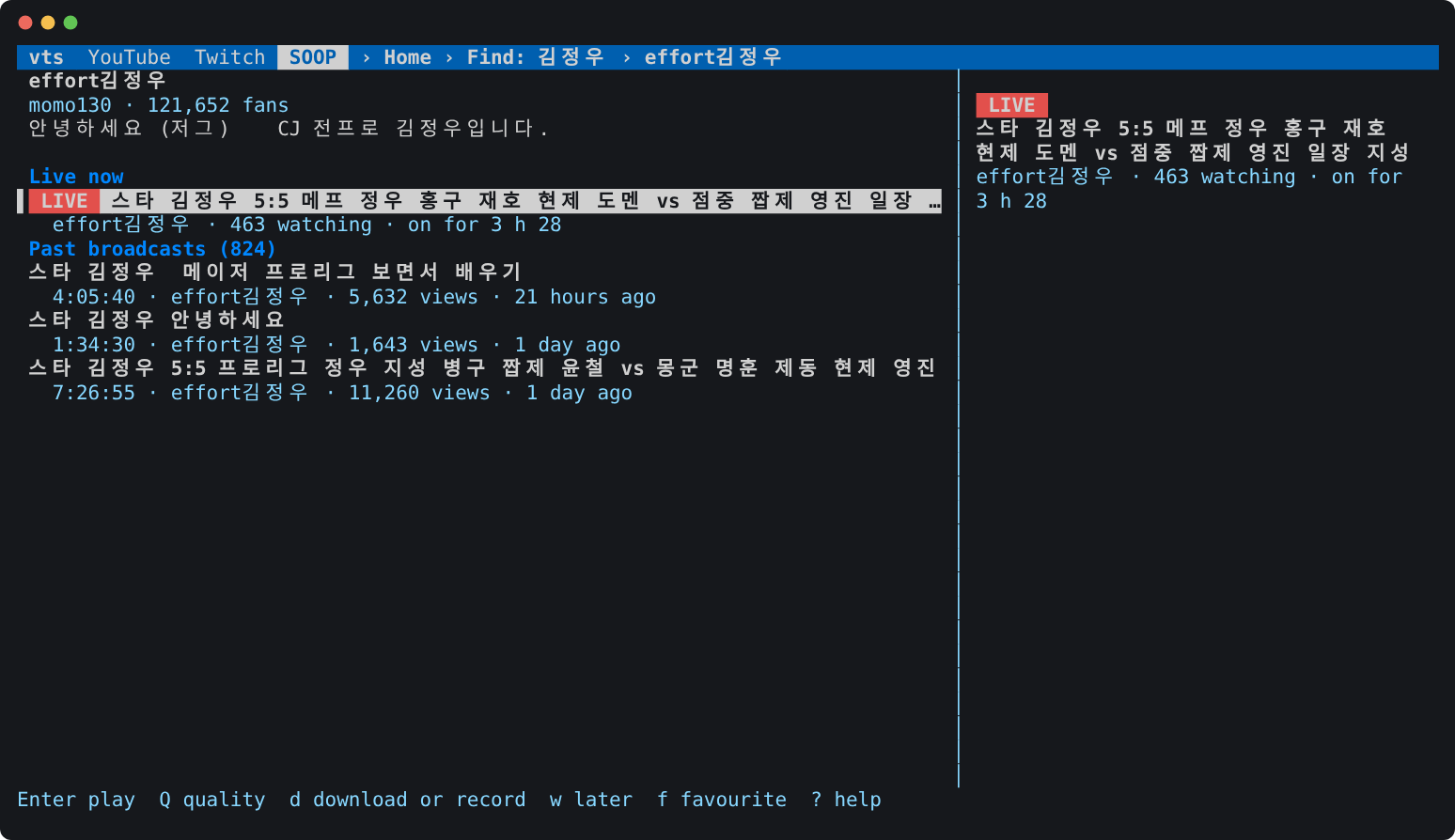
A SOOP channel: the live stream at the top, then its past broadcasts (다시보기)
Why it's nicer than the websites
- No ads on Twitch. Live streams go through Streamlink, which filters the ads out.
- No algorithm deciding for you. No recommended feed, no autoplay into the next video, no "you might also like". Your home screen is only the channels you chose and what you search for.
- A calm screen. No flashing interface: no animated emotes, alerts, chat spam or autoplaying previews. Just text, a thumbnail and the video in its own window.
- Fast and light. No browser, nothing loading in the background. It opens instantly and you do everything from the keyboard.
- Private. No login on any site, no tracking. Your favourites and history stay on your computer.
SOOP (live and 다시보기)
- Favourite BJs in a list; the home screen shows who is live first (title, viewers, how long they've been on), then the others.
- Find a BJ by name or ID, or paste any SOOP link.
- Watch live streams in the quality you choose (1080p, 720p, 540p, 360p, or sound only).
- Record a live stream to a file (press d) until you stop it or the stream ends.
- Each channel's past broadcasts (다시보기), newest first, more as you scroll.
- vts remembers where you stopped in a past broadcast: watch a 5-hour broadcast over several evenings ("Continue watching" on the home screen). Broadcasts split into parts play as one video.
- Download past broadcasts.
- Separate default qualities for live and for past broadcasts.
Twitch (live streams only)
- Favourite channels in a list; the home screen shows who is live first, with title, game, viewers and how long they've been on.
- Find a channel by name, or paste a twitch.tv link.
- Watch without ads, in the quality you choose (1080p down to 160p, or sound only), and change it while it plays.
- Record a live stream to a file.
- No past videos, no clips and no downloads: vts is made for watching live.
YouTube (the most complete)
- Search with filters (type, date, duration, sort), with suggestions as you type.
- Video page: description, chapters, comments and replies.
- Channels (videos, shorts, live, playlists, search inside a channel) and playlists.
- Favourite channels in groups; your home screen is their new videos. Import your subscriptions from Google Takeout.
- A desktop notification for each new video of your favourites, even with vts closed, with Play and Watch later buttons.
- Downloads: the video in the quality you choose, or the sound only as MP3.
- Quality choice, sound only, subtitles, playback speed; vts remembers where you stopped and marks what you've watched.
- No Google account.
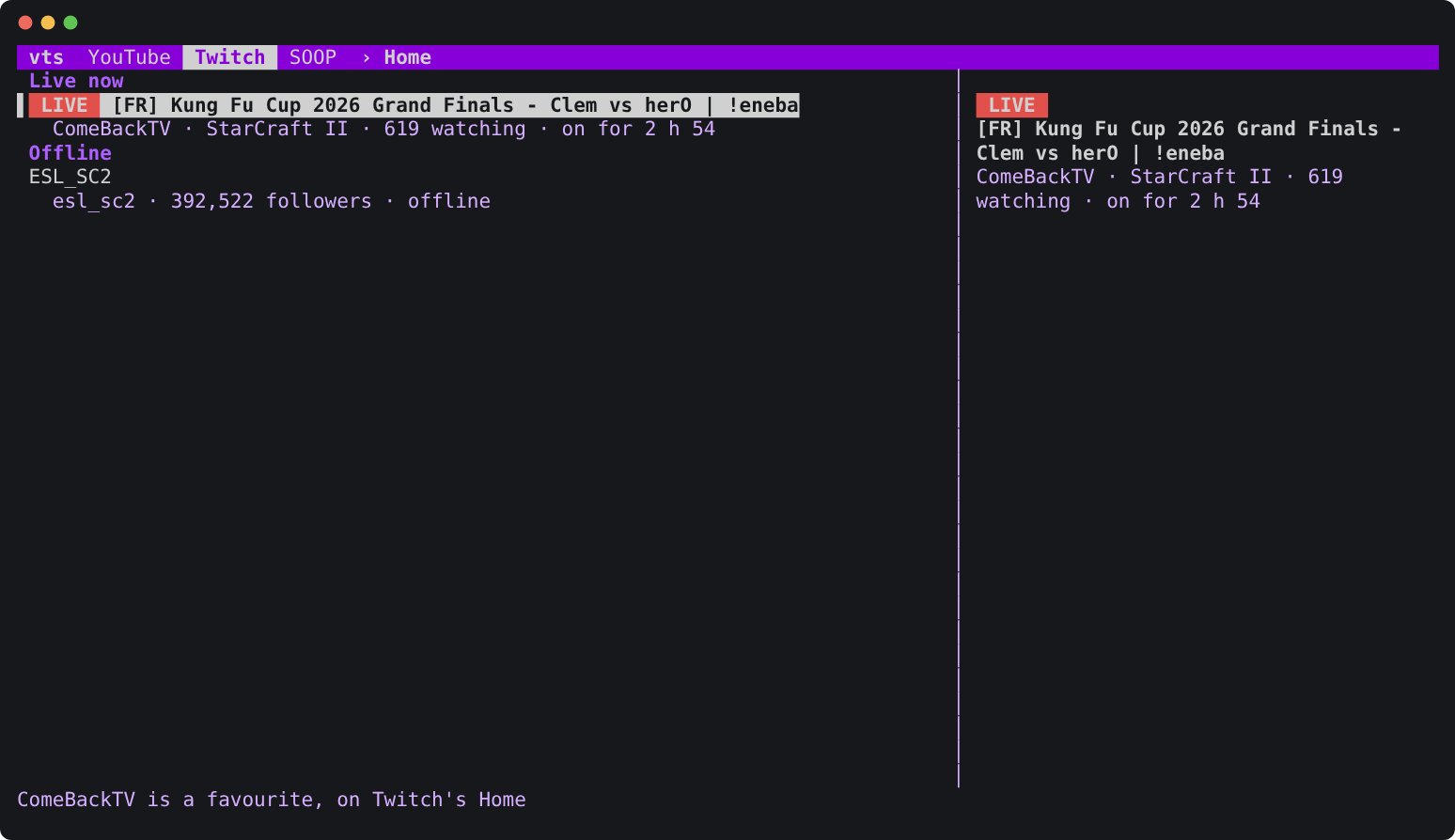
Twitch: your favourites, live ones first
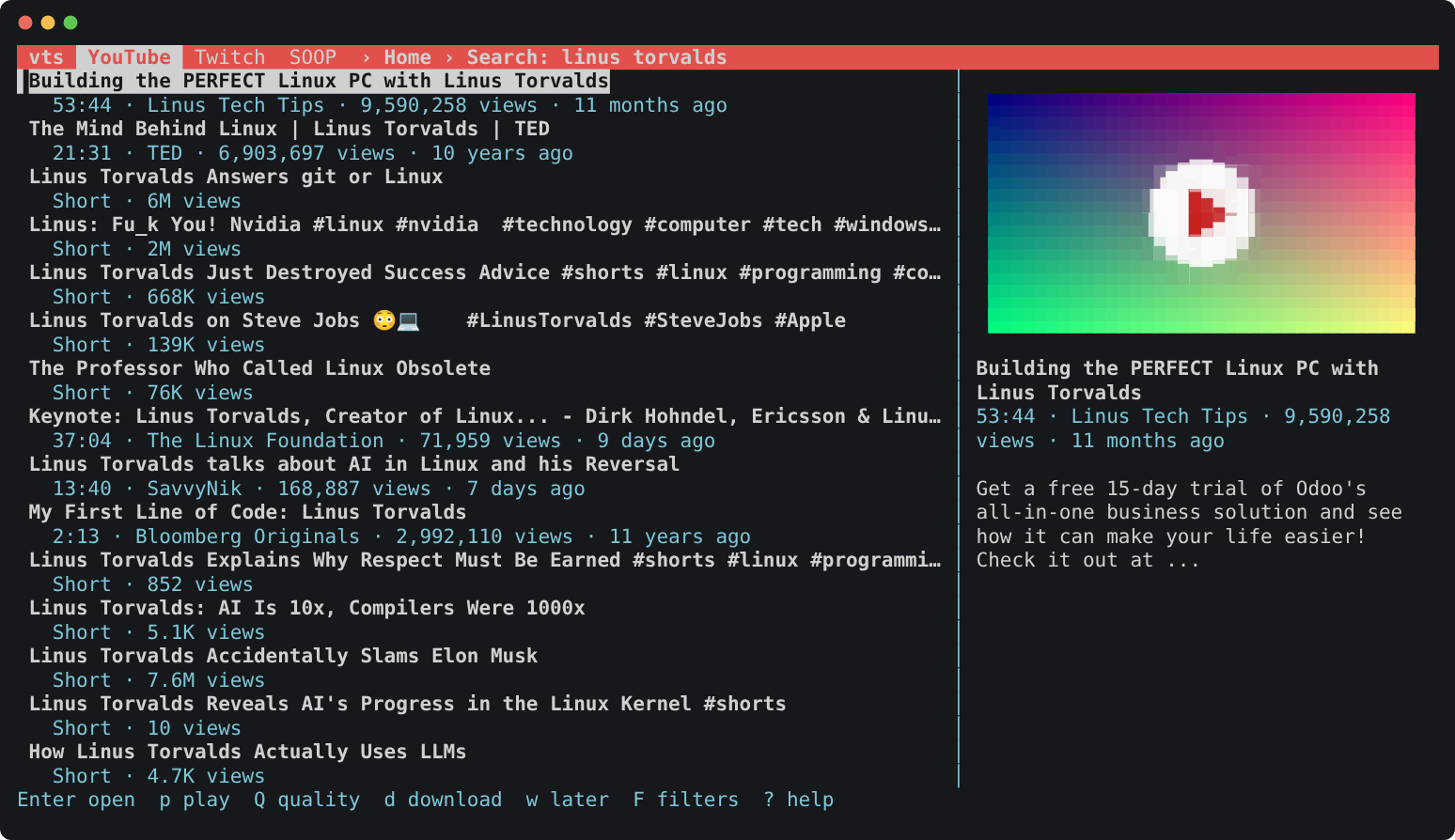
YouTube search, with the selected video's thumbnail on the right
For all three sites
- One library: history, Watch later and your own playlists (SOOP broadcasts can go in them too).
- "vts check" lists which of your favourites are live right now on YouTube, Twitch and SOOP.
- b or Alt+1 / Alt+2 / Alt+3 switches site; each site has its own colours.
- Everything stays up to date by itself, vts included: no reinstalling.
Main keys
b or Alt+1/2/3 : switch site
/ : search or find a channel (or paste a link)
f : favourite
p : play, Q : quality, d : download or record
? : all the keys
Limits, to be honest
- No login, so SOOP streams that need an account (19+, password or subscribers only) can't be played. vts tells you when that's the case.
- No chat.
- It's a terminal app: keyboard first, not for everyone.
Made with AI, and easy to change yourself
I built vts with AI: I used Claude to write the code, while I decided what it should do and tested everything on my own Windows and Linux machines. The code, tests and documentation are all public.
That also means you don't have to wait for me if you want a feature. The code is open source (Apache 2.0): fork the repository, plug in your own Claude (or another AI coding assistant) and have it add what you want. If it's useful to others, send it back as a pull request.
Link: https://github.com/ifupauline/vts


