Small update on screpdb, the replay reporting tool I posted here in July. I've kept shipping most weeks since then, and I think it's in a much better shape than the version most of you saw, so this feels like a decent moment to either try it or update.
Quick reminder of what it is: a local, free, open source replay reporting tool, BWChart-style but focused on semantic reporting. It's complementary to RepMastered and vespene.gg.
It's the full dashboard running on sample replays, entirely in your browser, nothing leaves your machine. Some features obviously don't work there, but it's enough to decide whether it's for you.
What's new since July
Gaming session page. A summary of tonight's session: the games you played, who you played against and with, the people you run into most often, and whether they're online right now.
Games you left early now complete themselves. In 3+ player games you often leave before it's over and never find out what happened. screpdb polls for the game to finish, fills in the report with who won and what went on, and can stage the complete replay for you to watch.
Hotkey report. Not just how much you use each hotkey, but what you actually put on them: which buildings, and a map overlay of your hotkeyed buildings drawn where you built them, over time. Players have a Hotkey tab too, with their average usage.
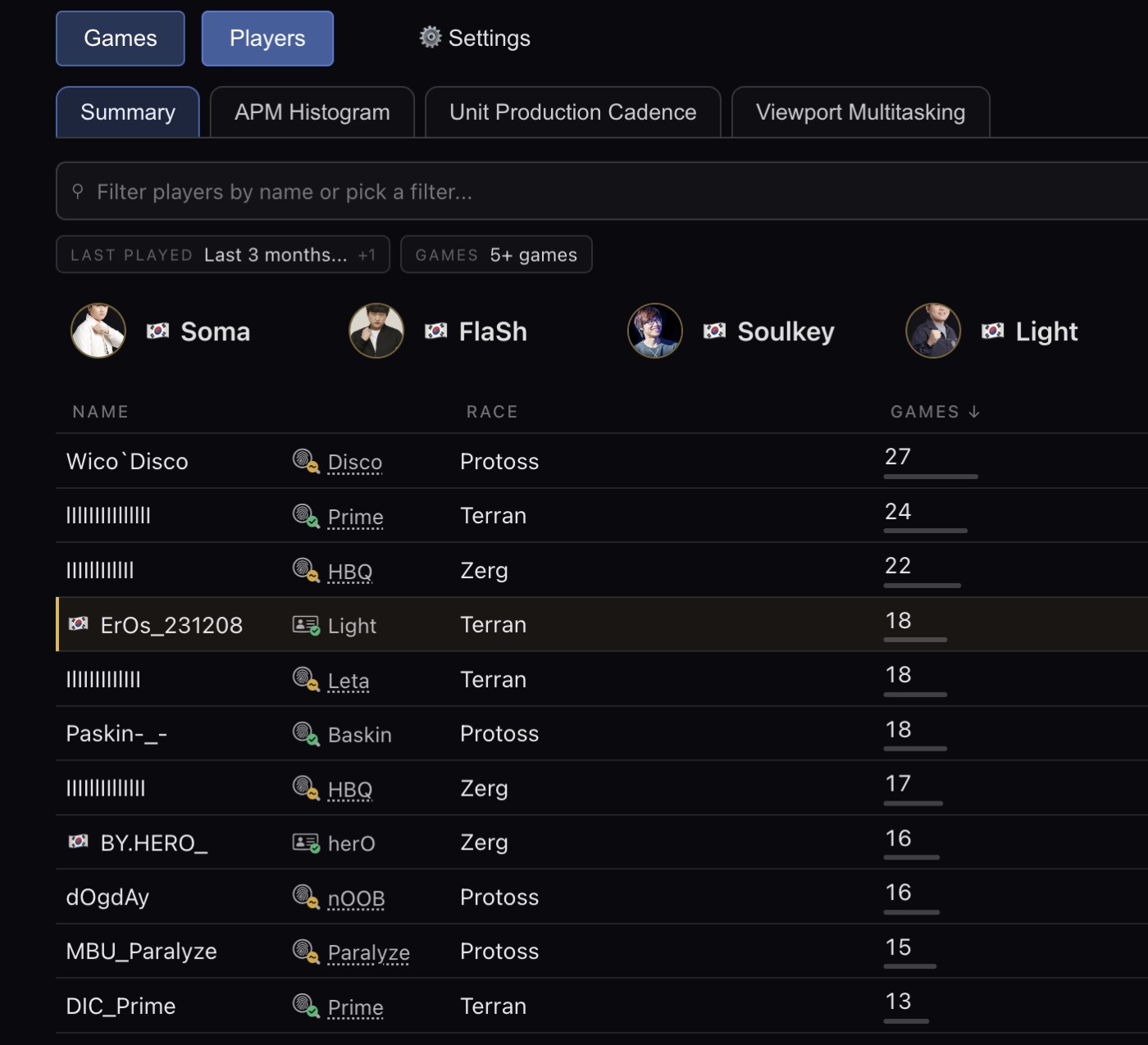
Built-in progamers. The Players page now ships with popular players: their latest games, their alternative aliases, their hotkey usage. They're also on the skill charts, so you can cry while comparing yourself to them.
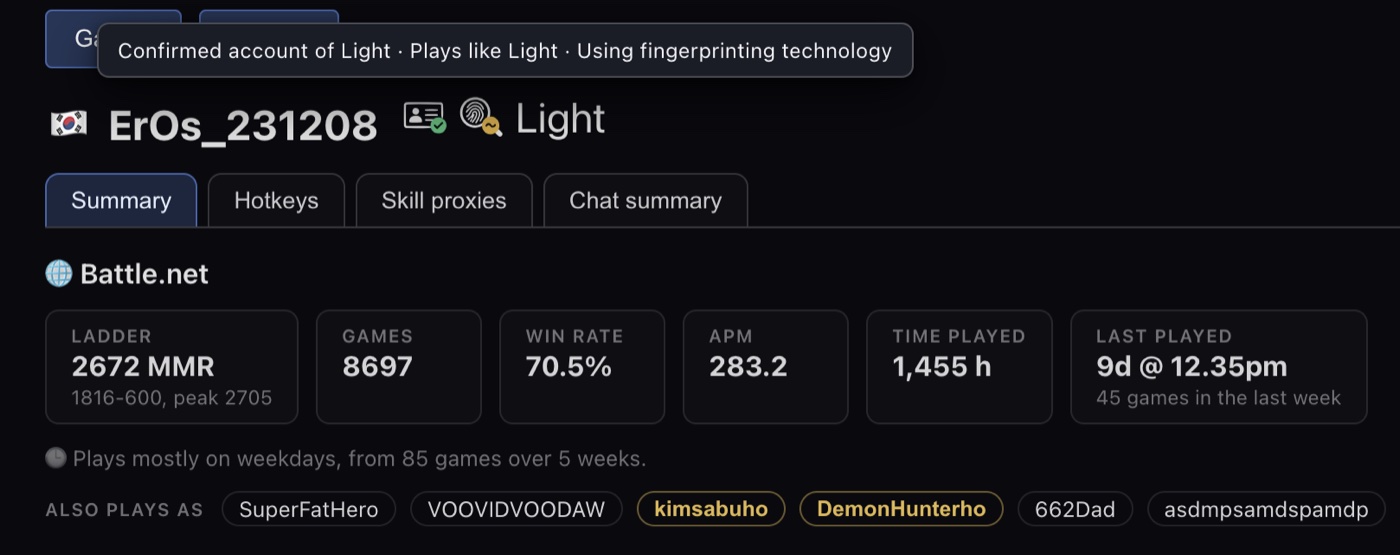
Player fingerprinting. This one comes out of a separate project I've been working on: on top of the account alias lists that already exist, it extracts a signature from the way somebody plays. So screpdb can tell you that the person you just played "plays exactly like Jaedong", and, separately, that the account you played against is the verified account of Jaedong, even under a name nobody has seen before. It feels more useful now that we have AI bots.
Faster and lighter. Ingestion is ~6x faster and uses ~95% less storage, which meant the Ingest button could go away entirely: replays are picked up automatically now. The UI also got a pass after some UX feedback, plus a long tail of smaller fixes.
Korean support. screpdb is now available in Korean. I don't speak Korean, so this is a best-effort translation. If any Korean speaker here is willing to look it over and tell me what reads badly, I'd really appreciate it.
One small thing for Windows folks: it looks like a good number of you installed by downloading the .exe directly. That's completely fine, but the reason I recommend Scoop is upgrades. With Scoop it's one command:
scoop update screpdb
whereas doing it by hand every week gets old fast. Scoop also avoids the SmartScreen warning, since the binaries aren't code-signed.
Still fully free and open source, no donations needed, I have my own coffee. If you try it and something is broken or annoying, file an issue, that's the most useful thing you can do for it.
Very interesting, thank you. I'm coming back to the game after not playing for years, and working on playing a different race, so I'm curious if it can assist me to get deeper on learning the builds and counters.
On September 22 2026 19:06 ImbaTosS wrote: Very interesting, thank you. I'm coming back to the game after not playing for years, and working on playing a different race, so I'm curious if it can assist me to get deeper on learning the builds and counters.
If you find good ways to use the tool for that, please let us know. Also, do join CPL, it s starting now/soon
On September 22 2026 19:06 ImbaTosS wrote: Very interesting, thank you. I'm coming back to the game after not playing for years, and working on playing a different race, so I'm curious if it can assist me to get deeper on learning the builds and counters.
It can help you in many tangential ways:
It names the opening both players used in every replay (~80 of them: 9 Overpool, Nexus First, 1-1-1, 2 Fact Expa Mech...), so you can filter for "games where the Terran went 1-1-1 on me" and watch those.
It compares your build's milestone timings against progamer timings in charts, so it tells you your Cybernetics Core was 14s late instead of you guessing.
It flags cannon rushes, proxies, bunker/ling rushes, drops; filter for those and you get a playlist of what's actually killing you.
You can ingest a progamer pack alongside your games and filter to the same matchup and opening for a reference.
Every game report shows you your expa timings, upgrades timings; there's a supply chart so you can see if they're consistently outmacroing you.
Skill proxies (viewport multitasking, production cadence) are useful on a new race, where your win rate lies to you but "am I producing continuously" doesn't.
You can review your game session to track your progress. It will show you if you played higher/lower MMR opponents, for a clearer picture of why you got the results you got.
If you strictly want to know which build order counters which, then I'd read Liquipedia and ask here.
Today I'm releasing screpdb v2. It uses the same technology behind the Pluto bot (OpenBW) to run your replays through the StarCraft engine itself, so screpdb now knows exactly what happened in each game.
Game Events doesn't just summarise the game much more reliably: it now renders exact snapshots of the map at each moment. That's a convenient alternative to digging through obscure replay names and seeking to minute 17 in the game client to find something.
Skill is new. It's a weighted average of 6 submetrics that correlate with MMR across a training corpus of ~3,000 ladder replays, and it rates every player in your games, including you. I've spent weeks making it as reliable as I could.
Supply has been promoted to its own tab: it shows every player's used supply vs cap over time, and how long they were supply blocked.
Someone on Reddit said they'd love a video showcasing the features, so I made a YouTube channel. Here's the full tour:
Some of you found installing through Scoop a hassle, so on Windows the default is now simply to download the exe:
I'm working with SignPath to get the binary code-signed, but they're not willing yet because it hasn't reached mainstream usage. So expect warnings when you download and run it. That doesn't mean it's malicious, only that it isn't code-signed.
The installation video explains what screpdb does to keep the risk low and how to get past the warnings:
I've seen lots of downloads for every new release, so thank you all for trying it!
 EPT